


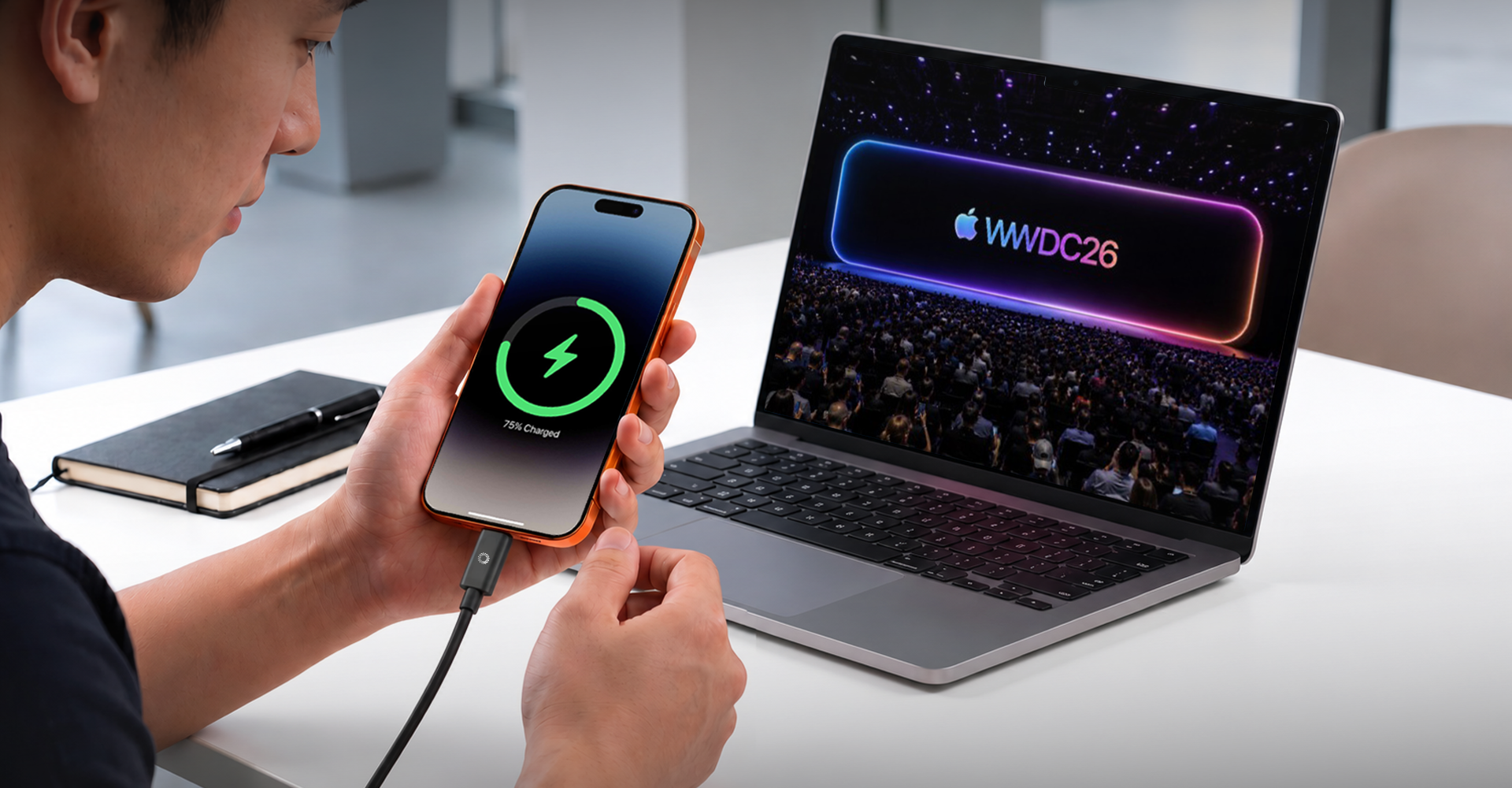
Apple's annual Worldwide Developers Conference has always been more than a software preview. It is a statement of intent. And as WWDC 2026 approaches on June 8 in Cupertino, the picture emerging from years of incremental decisions is becoming unmistakably clear: Apple is no longer designing individual devices. It is designing a single, interconnected experience that happens to run on multiple screens.
This shift has been years in the making. From the introduction of Handoff in 2014 to Universal Control in 2022, from the transition to Apple Silicon to the unification of OS version numbers under the "26" naming convention in 2025, each step has nudged users deeper into an ecosystem where iPhone, Mac, iPad, and Apple Watch are less separate products and more complementary extensions of one another. WWDC 2026, with its expected unveiling of iOS 27, macOS 27, iPadOS 27, and a long-overdue reimagining of Siri, may represent the clearest articulation yet of where that journey leads.
Whether you are a developer, a first-time iPhone buyer, or someone who has used Apple products for a decade, understanding what WWDC 2026 signals matters. It shapes not just what software your devices will run in the fall, but how you will work, communicate, and move between your devices for years to come.
Why WWDC Has Become an Ecosystem Event
There was a time when WWDC announcements lived in neat, separate boxes. An iOS update for iPhone and iPad. A macOS update for Mac. A watchOS update for Apple Watch. Each platform had its own features, its own pace, and its own team.
That era is quietly ending.
The clearest evidence is in how Apple tells the story. At WWDC 2025, the company introduced the "Liquid Glass" visual language simultaneously across every platform, from iPhone to Apple TV. iOS 26, macOS Tahoe 26, watchOS 26, and iPadOS 26 all shared the same aesthetic vocabulary on the same day. That kind of synchronized design rollout does not happen by accident. It reflects a product philosophy that treats the ecosystem as the product, with individual devices serving as access points to something larger.
WWDC 2026 takes that philosophy further. The headline story going into the conference is not a new device or even a specific feature. It is Siri, and whether Apple can finally deliver a genuinely capable AI assistant that works intelligently across all of its platforms simultaneously. That is an ecosystem ambition, not a product ambition.
iOS 27: Intelligence Moves to the Center
iOS 27 is expected to make Apple Intelligence less of a feature set and more of a foundational layer. Where earlier versions of Apple Intelligence felt like additions bolted onto existing apps, the direction for iOS 27 is integration at the system level.
Siri 2.0 and the Gemini Partnership
Perhaps the most consequential development heading into WWDC 2026 is Apple's reported partnership with Google, which is expected to bring Gemini's large language model capabilities into Siri. This is not a small update. It represents Apple acknowledging that building world-class AI capabilities in isolation is neither fast enough nor sufficient to meet user expectations.
What this means practically is a Siri that can hold context across a conversation, take meaningful action across apps, and respond intelligently to complex, multi-step requests. The long-promised ability for Siri to understand what is on your screen, interact with third-party apps, and maintain context between sessions may finally arrive in a form users recognize as useful.
For everyday Apple users, this has direct implications for how you move through your day. Asking Siri to find a restaurant, add the reservation to your calendar, share it with a friend over Messages, and set a departure reminder in Maps is the kind of multi-step action that should require one request, not four. iOS 27 is expected to make that kind of flow possible.
Live Translation and Communication Features
Building on the Live Translation capability introduced in iOS 26, iOS 27 is expected to deepen real-time language translation across FaceTime, Messages, and Phone calls. For users who communicate across language barriers, whether for personal or professional reasons, this is the kind of capability that quietly removes friction from daily life.
The significance here is not the feature itself but where it lives. Live Translation is not a standalone app. It is woven into the communication fabric of the platform, which is precisely the kind of ecosystem thinking that defines Apple's current approach.
macOS 27: The Mac as Command Center
The Mac's role within the Apple ecosystem is evolving. It was once the primary computing device around which everything else orbited. Then mobile shifted the center of gravity toward iPhone. Now, with Apple Silicon unifying the underlying architecture across Mac, iPad, and (in the A-series chips) iPhone, the Mac is reasserting itself not as the center but as the most capable node in a connected graph of devices.
Continuity Features Deepen
macOS 27 is expected to extend Continuity capabilities in meaningful ways. iPhone Mirroring, introduced in macOS Sequoia, gave users a full, interactive view of their iPhone directly on the Mac display. The next evolution is expected to make this connection more fluid, allowing apps and workflows to move between devices with less friction and more awareness of context.
For professionals who work across Mac and iPhone simultaneously, this is a meaningful quality-of-life improvement. A photo taken on iPhone should feel immediately accessible on Mac. A document started in Notes on Mac should flow seamlessly onto iPhone for a commute edit. These are not technical novelties. They are practical improvements to how knowledge workers operate.
Spotlight and Search as Ecosystem Intelligence
One area where macOS 26 already made progress was Spotlight, which received a significant overhaul to surface information more intelligently. macOS 27 is expected to continue this evolution, with Spotlight increasingly capable of drawing on information from across your Apple devices and accounts to surface relevant content in the moment you need it.
This is an understated but important shift. Search that understands your context across devices is effectively a form of ambient intelligence, one that reduces the cognitive overhead of managing information across multiple screens.
iPadOS 27: The Missing Middle Grows Up
For years, iPad has occupied an unusual position in Apple's lineup. More capable than an iPhone. Less capable than a Mac. Powerful enough for many professionals, yet constrained by software that did not fully reflect that power.
iPadOS 27 is expected to address this with more Mac-like multitasking capabilities. The direction set in iPadOS 26 with improved window management and a more desktop-like interface is expected to continue, bringing iPad closer to a genuine workstation replacement for users who want it to be one.
Why This Matters for the Ecosystem
The consequence of a more capable iPadOS is not just a better iPad. It is a more flexible ecosystem. A user who can genuinely work on iPad for a full day no longer needs to carry a MacBook as a safety net. But they do need the connective tissue, both in software and hardware, to make that work. This includes display output for external monitors, reliable data transfer, and the ability to charge at a meaningful rate while staying productive.
As iPadOS grows toward the capabilities of macOS, the accessories that support it must grow accordingly.
The Connective Tissue: How Devices Actually Work Together
Understanding the software vision of WWDC 2026 is one thing. Understanding what makes it function in daily life is another. The cross-device experiences Apple is building depend on a set of underlying technologies that users often take for granted until they do not work.
AirDrop, Handoff, and Universal Clipboard
These features, now several years old, remain the foundation of fluid cross-device workflows. The ability to start a task on one device and pick it up on another without thinking about it is the quiet achievement of Apple's ecosystem. When it works, users barely notice it. When it does not, the disruption is immediately felt.
USB-C and the Physical Layer
Software ecosystems have physical requirements. The shift of the entire Apple lineup to USB-C, completed in 2023 with the iPhone 15 series, was one of the most practically significant hardware decisions Apple made in years. It created, for the first time, a world where a single cable could theoretically connect your iPhone, iPad, MacBook, and Mac accessories.
That theoretical world is still becoming real for many users. The gap between "USB-C compatible" and "USB-C optimized" is significant. Cables that meet the full USB 3.2 or USB4 specification can carry data at speeds and display signals at resolutions that older cables cannot. For users who want to transfer large photo libraries from iPhone to Mac, output a presentation to an external display from iPad, or charge a MacBook at maximum speed, the cable is not a minor detail. It is the physical infrastructure of their ecosystem.
The Accessory Ecosystem: A New Set of Requirements
As Apple's software ecosystem grows more capable and more connected, the hardware accessories that support it must keep pace. This is a practical reality that WWDC 2026 brings into sharper focus.
Consider the user who wants to take full advantage of iOS 27 on iPhone 16 Pro, while also running macOS 27 on a MacBook, with iPad as a secondary display and Apple Watch feeding health data in the background. This is not a hypothetical power user. It is the direction Apple is actively building toward mainstream consumers.
For this user, several accessory needs converge:
Fast, reliable charging across multiple devices. MacBooks under load can draw 100W or more. The iPhone 16 Pro can charge meaningfully faster than the standard 20W charger most users own. Having the right cable and power delivery support is the difference between devices that are fully charged in the morning and devices that are perpetually running at 60 percent.
High-speed data transfer for device migrations and backups. Upgrading from one iPhone to another, or migrating a large project from iPad to Mac, involves moving gigabytes of data. The speed of that transfer depends directly on the cable and connection standard in use.
Display output from portable devices. iPad and MacBook as presentation tools, creative workstations, or secondary displays for Mac Studio setups all require a cable capable of carrying a display signal at modern resolutions. 4K at 60Hz is the relevant benchmark for most professional use cases today.
Not Every Apple User Is Solving the Same Problem
The scenario above describes one type of user: someone running the newest hardware across every device. But the WWDC 2026 ecosystem story does not land the same way for everyone, because not everyone is sitting at the same point in Apple's upgrade cycle. Broadly, two profiles emerge.
Upgraders — iPhone 15 series and above. This group already has USB4-capable hardware across iPhone, iPad, and Mac, so the priority is making full use of it: pulling maximum data transfer speeds, driving external displays at 4K 60Hz, and charging at the higher wattages newer devices and MacBooks support. A cable like the TUNOVA UltraSpeed is built for exactly this profile, and pairing it with a compact, fast charger such as the TUNOVA IceCube 45W rounds out a setup that can keep pace with everything iOS 27 and macOS 27 are expected to enable.
Maintainers — iPhone 14 series and earlier. This group is not chasing USB4 speeds, because their devices were not built around that standard in the first place. Their more immediate need tends to be simpler: keeping an older iPhone, along with the Apple Watch and AirPods that pair with it, reliably powered through a full day of ecosystem use. A dependable TUNOVA Powerbank addresses that directly, without requiring a USB4 cable or charger that the device cannot fully take advantage of anyway.
The broader takeaway is that as Apple's software ecosystem becomes more unified, the hardware supporting it does not need to be one-size-fits-all. It needs to match where a person actually sits in that ecosystem.
Frequently Asked Questions
What is WWDC 2026 and when does it take place?
WWDC 2026, Apple's Worldwide Developers Conference, runs from June 8 to June 12, 2026. It begins with a keynote on June 8 at 10 a.m. Pacific Time. The event is where Apple previews the software updates coming to iPhone, Mac, iPad, Apple Watch, and Apple TV later in the year.
What operating systems will Apple announce at WWDC 2026?
Apple is expected to announce iOS 27, macOS 27, iPadOS 27, watchOS 27, tvOS 27, and visionOS 27. All major platforms are expected to receive updates, with a heavy focus on Apple Intelligence features and Siri improvements.
Will there be new hardware at WWDC 2026?
WWDC is primarily a software event. While new hardware announcements are possible, the focus is expected to be on operating system updates and developer tools. Hardware releases for Mac Studio and Mac mini with M5 chips have been reported as possibilities, though RAM supply constraints may affect timing.
What is Apple Intelligence and how does it affect everyday users?
Apple Intelligence is Apple's framework for AI features integrated across its operating systems. For everyday users, it means a smarter Siri, more capable writing tools in apps, improved photo search, and the ability for apps to take actions on your behalf. With iOS 27, these capabilities are expected to deepen significantly.
Does the USB-C transition affect which cables and accessories I need?
Yes. Apple's move to USB-C across all iPhone, iPad, and MacBook models means that a single cable type can now serve your entire setup, but only if that cable meets the right specifications. Not all USB-C cables support fast charging, high-speed data transfer, or display output. Choosing a cable that meets the full specification matters for getting the most from your devices.
Why is Siri getting a major update in 2026?
Apple announced improvements to Siri at WWDC 2024, but those features were delayed. A reported partnership with Google to integrate Gemini AI capabilities is expected to finally deliver the more contextually aware, action-capable Siri that Apple has been working toward. WWDC 2026 is expected to be where Apple shows this to the world.
What does "ecosystem integration" mean for someone who uses iPhone and Mac together?
Practically, it means features like iPhone Mirroring (controlling your iPhone from your Mac), Universal Clipboard (copying on one device and pasting on another), Handoff (picking up tasks across devices), and AirDrop. As Apple deepens these connections, the line between your iPhone and Mac becomes more fluid, and the accessories connecting them become more important.
The Physical Bridge to a Smarter Ecosystem
Software is only as capable as the hardware that carries it. As Apple builds a more connected, more intelligent ecosystem through WWDC 2026 and beyond, the cables, chargers, and accessories supporting that ecosystem increasingly matter.
For users navigating the transition to USB-C across their entire Apple setup, the appeal of a single cable that handles every scenario is obvious. One cable for MacBook charging at 240W. One cable for iPhone data migration at USB 3.2 speeds. One cable for outputting iPad to a 4K display at 60Hz. This is the practical vision behind the TUNOVA UltraSpeed, a USB4 cable built around the premise that Apple users should not need a drawer full of cables to support a fully capable ecosystem.
The UltraSpeed supports up to 240W power delivery, making it appropriate for MacBook Pro under full load. Its data transfer speeds align with what a USB4 cable offers, meaning large iPhone migrations or Final Cut Pro project moves happen in minutes rather than hours. And its 4K 60Hz display support means the cable works for professional monitor setups, presentation environments, or dual-display configurations from a Mac or iPad.
That said, a single cable is only part of the picture, and not every Apple user needs the same accessory. For Upgraders running iPhone 15 series or newer, pairing the UltraSpeed with the compact TUNOVA IceCube 45W charger creates a complete, travel-ready setup: fast daily charging from the IceCube, and full USB4 speed and display output on demand from the UltraSpeed. For Maintainers still on iPhone 14 series or earlier, the more relevant addition is a TUNOVA Powerbank, since the priority for that device generation is dependable extra battery life across a long day rather than USB4 transfer speeds the hardware was never built to use in the first place.
For users who have been waiting for the right moment to consolidate and upgrade their accessories alongside their software, the period leading into WWDC 2026, and the iOS 27 and macOS 27 updates that follow in the fall, is a natural inflection point. See more here.
Conclusion
WWDC 2026 is best understood not as a list of features but as a strategic signal. Apple is building toward a world where the distinction between your iPhone, your Mac, your iPad, and your Apple Watch is less important than the collective intelligence and continuity that connects them. iOS 27, macOS 27, Siri's long-awaited upgrade, and the deepening of cross-device experiences all point in the same direction: an ecosystem where the whole is demonstrably greater than the sum of its parts.
For users, the practical implication is both exciting and concrete. The software experience is getting meaningfully better. And making the most of it, whether that means faster device migrations, seamless display output, or reliable high-wattage charging, requires physical infrastructure that keeps pace.
The Apple ecosystem of 2026 is more capable, more connected, and more demanding of the hardware that supports it. Getting your setup right is a meaningful step toward actually experiencing what Apple is building.
And since not every Apple user is solving for the same thing, TUNOVA's lineup reflects that. Upgraders on iPhone 15 series and above can pair the UltraSpeed with the IceCube 45W for a setup built around speed. Maintainers on iPhone 14 series and earlier can reach for the Powerbank to keep an older device running reliably through a full, connected day. Explore the full TUNOVA range and find the accessory built for where you actually are in the Apple ecosystem.
Ready to build a cable setup that works across your entire Apple ecosystem? Explore the TUNOVA UltraSpeed and see how one cable covers charging, data, and display across your devices.
The Era of Minimalism & Security: Why Apple Users Are Moving Toward Slimmer Find My Trackers
What Is Qi2 Wireless Charging and Why Does It Matter for Your Phone?