


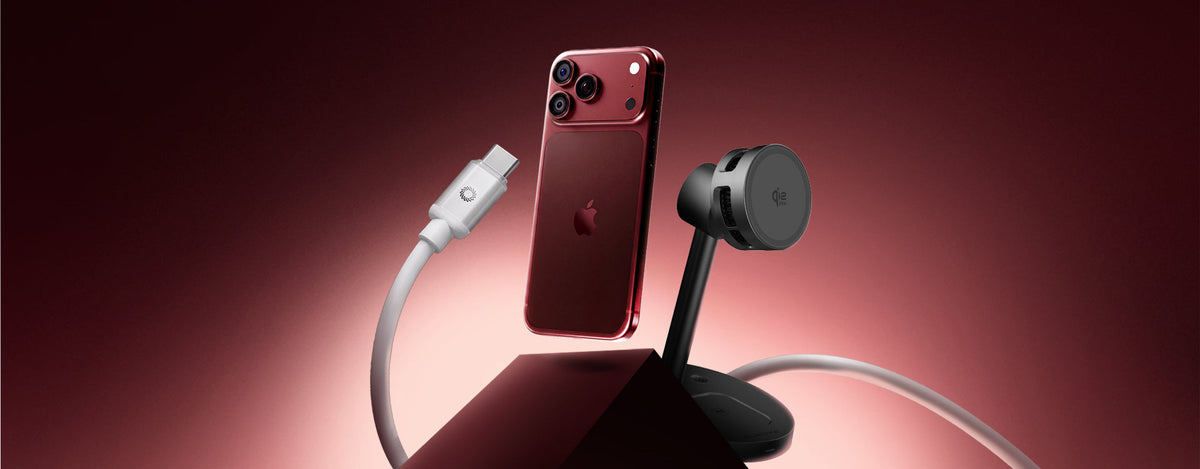
The iPhone 18 Pro has officially arrived with several significant upgrades from Apple, spanning its camera, performance, artificial intelligence, and battery life.
Announced in September 2026, the iPhone 18 Pro introduces several updates, including a 48MP Fusion main camera with variable aperture, the latest A20 Pro chip, and an improved vapor chamber system to help maintain stable performance. Apple has also enhanced its charging capabilities. With a compatible wired charging setup, the iPhone 18 Pro can reach up to 50% charge in approximately 15 minutes, or around 50% in 30 minutes using MagSafe.
With these improvements, one interesting question comes to mind:
How can you charge the iPhone 18 Pro faster?
Explore the iPhone 18 Pro on Apple
How Fast Can the iPhone 18 Pro Charge?
According to Apple's technical specifications, the iPhone 18 Pro supports two main fast-charging methods.
Wired Charging
The iPhone 18 Pro can charge up to 50% in approximately 15 minutes when using an adapter rated at 60W or higher with Adjustable Voltage Supply (AVS), together with a USB-C charging cable.
Wireless Charging
For wireless charging, the iPhone 18 Pro supports MagSafe and Qi2 at up to 25W.
Apple states that the iPhone 18 Pro can reach 50% charge in approximately 30 minutes when using a MagSafe Charger with a 35W or higher power adapter.
| Charging Method | Apple's Requirements | Time to 50% |
|---|---|---|
| Wired | 60W or higher adapter with Adjustable Voltage Supply + USB-C cable | Approximately 15 minutes |
| MagSafe | 35W or higher adapter + MagSafe Charger | Approximately 30 minutes |
| Qi2 | Wireless charging up to 25W | — |
So, if your priority is maximum charging speed, wired charging is the better choice.
However, if convenience matters more, wireless charging can be a more comfortable option for everyday use.
Wired vs. Wireless Charging: Which Should You Choose?
The good news is that you don't have to choose just one charging method forever.
Consider when and where you usually charge your iPhone.
Choose wired charging if you:
- Need a quick battery boost before heading out.
- Want the fastest possible charging experience.
- Frequently charge multiple USB-C devices.
- Need greater power flexibility for different devices in your Apple ecosystem.
Choose wireless charging if you:
- Spend a lot of time at your desk.
- Prefer a cleaner setup without cables scattered around.
- Want a convenient charging solution for everyday use.
- Want to keep charging your iPhone while using it.
Simply put:
Wired charging prioritizes speed.
Wireless charging prioritizes convenience.
And the iPhone 18 Pro supports both.
What Charger Do You Actually Need for Fast Charging the iPhone 18 Pro?
This is where wattage numbers can get confusing.
A higher-wattage charger does not automatically mean your iPhone will charge at the same wattage printed on the charger.
To achieve the wired charging performance stated by Apple, the iPhone 18 Pro requires an adapter rated at 60W or higher with Adjustable Voltage Supply, paired with a USB-C charging cable.
That's why you shouldn't look at wattage alone when choosing a charger.
There are four things to consider:
1. Power Output
For the fastest wired charging performance specified by Apple, you need a compatible adapter rated at 60W or higher with the appropriate Adjustable Voltage Supply capability.
2. Charging Protocol
The charger must support the appropriate charging technology for your iPhone and the configuration you're using.
3. USB-C Cable
The cable is also an important part of the charging system.
A high-powered adapter does not automatically guarantee maximum performance if the cable does not meet the requirements of your charging setup.
4. Other Devices You Use
If you're charging more than just your iPhone, additional power capacity becomes even more useful.
This is where a higher-output multiport charger can make sense.
Is a 67W Charger Worth It for the iPhone 18 Pro?
Yes, but not because the iPhone 18 Pro needs 67W.
The advantage of a 67W charger lies in its extra power capacity and flexibility across different devices.
The Tunova IceCube GaN67W 3 Ports offers up to 67W of output across three ports, making it suitable for users who want to consolidate their iPhone, iPad, and MacBook charging needs into one device.
Explore Tunova IceCube GaN67W 3 Ports
Think of it this way:
You're not buying a 67W charger because your iPhone needs 67W. You're buying it because your device ecosystem may benefit from that level of power flexibility.
If your everyday devices include an iPhone 18 Pro, iPad, MacBook, AirPods, or other USB-C devices, a compact charger with extra power capacity can make your charging setup much simpler.
One charger. Multiple devices. Less to carry.
What About Wireless Charging on the iPhone 18 Pro?
Fast charging doesn't always mean charging your battery from nearly empty to 50% in the shortest possible time.
Sometimes, a better charging experience comes from convenience throughout the day.
The iPhone 18 Pro supports MagSafe wireless charging up to 25W and Qi2 up to 25W.
Apple states that the iPhone 18 Pro can reach 50% charge in approximately 30 minutes when using a MagSafe Charger paired with a 35W or higher power adapter.
This makes wireless charging especially useful for:
- Your desk.
- Your bedside table.
- Your home office.
- Everyday battery top-ups.
Instead of repeatedly plugging in and unplugging a cable, you can simply place your iPhone on a charging device whenever you're not actively using it.
Tunova CoolMax: A More Convenient Wireless Charging Solution
This is where Tunova CoolMax becomes a relevant option.
CoolMax isn't a replacement for the fastest wired charging method. Instead, it's better positioned as a wireless charging solution designed to make everyday charging more convenient, with cooling features.
If you spend hours at your desk, a charging dock can feel more convenient than repeatedly connecting a cable.
You can keep your iPhone within reach while:
- Working.
- Watching videos.
- Taking calls.
- Checking messages.
- Browsing the internet.
- Using your phone throughout the day.
Both charging and device usage can generate heat. That's why a charging setup with a focus on cooling can be an interesting consideration for everyday use.
The goal isn't always:
"Charge faster every time."
Instead, it's about:
"Making charging more convenient while you use your iPhone."
IceCube 67W vs. CoolMax: Which One Is Right for You?
These two products aren't actually competing for the same charging needs.
Each is designed to address a different charging requirement.
| Charging Need | Better Choice |
|---|---|
| Fast wired charging | Tunova IceCube 67W |
| Charging multiple USB-C devices | Tunova IceCube 67W |
| iPhone + iPad + MacBook | Tunova IceCube 67W |
| Everyday wireless charging | Tunova CoolMax |
| Charging at your desk | Tunova CoolMax |
| Cable-free convenience | Tunova CoolMax |
| Charging while using your phone | Tunova CoolMax |
So, the choice is simple:
Need speed? Choose wired charging.
Need convenience? Choose wireless charging.
Need to charge multiple devices? Choose a charger with extra power capacity.
5 Ways to Charge Your iPhone 18 Pro More Efficiently
1. Use a Compatible USB-C Charger
For the fastest wired charging performance specified by Apple, use a compatible adapter rated at 60W or higher with Adjustable Voltage Supply, together with a USB-C charging cable.
2. Use the Right USB-C Cable
The cable is part of the charging system.
Make sure the USB-C cable you use meets the requirements of your charging setup.
3. Choose Wired Charging When Speed Matters
If your battery is at 10% and you need to leave home in 20 minutes, wired charging is the most practical choice.
Under Apple's specified wired charging conditions, the iPhone 18 Pro can reach 50% charge in approximately 15 minutes.
4. Use Wireless Charging for Everyday Top-Ups
If your iPhone spends most of the day on your desk, wireless charging can make it easier to maintain battery power without repeatedly connecting a cable.
5. Keep Your iPhone Cool
Temperature can affect the charging process.
Avoid charging your iPhone in excessively hot environments or in direct sunlight, especially when you want to top up the battery quickly.
So, What's the Best Charger for the iPhone 18 Pro?
There isn't one answer that works for everyone.
The best charging setup depends on how you use your iPhone 18 Pro.
If you need the fastest possible wired charging, follow Apple's stated charging requirements and use a compatible 60W or higher adapter with Adjustable Voltage Supply and a USB-C cable.
If you regularly charge multiple devices, the Tunova IceCube 67W offers extra power capacity and three ports in one compact GaN charger.
If your priority is convenient everyday wireless charging, Tunova CoolMax offers a different approach with a wireless charging solution featuring cooling capabilities.
The most important thing isn't choosing the charger with the highest wattage.
It's choosing a charging setup that matches how you actually use your iPhone.
FAQ: iPhone 18 Pro Charging
How can I charge the iPhone 18 Pro faster?
For the fastest wired charging specified by Apple, the iPhone 18 Pro can reach 50% charge in approximately 15 minutes using an adapter rated at 60W or higher with Adjustable Voltage Supply, together with a USB-C charging cable.
Can the iPhone 18 Pro charge wirelessly?
Yes. The iPhone 18 Pro supports MagSafe and Qi2 wireless charging up to 25W. Apple states that the battery can reach 50% in approximately 30 minutes using a 35W or higher adapter with MagSafe.
Is wired charging faster than wireless charging?
Yes. Based on Apple's stated charging figures, the iPhone 18 Pro can reach 50% in approximately 15 minutes with the specified wired configuration, compared with approximately 30 minutes with the specified MagSafe configuration.
Do I need a 67W charger for the iPhone 18 Pro?
Not necessarily.
Apple specifies an adapter rated at 60W or higher with Adjustable Voltage Supply to achieve wired charging up to 50% in 15 minutes under its stated conditions. A 67W charger can still be useful if you need extra power capacity to charge multiple devices.
Can I use Tunova IceCube 67W with the iPhone 18 Pro?
The Tunova IceCube GaN67W 3 Ports is a GaN charger for multiple devices, offering up to 67W of output and three ports. It's better positioned as a flexible charger for the Apple ecosystem rather than simply as a "67W charger for the iPhone 18 Pro."
Is wireless charging better than wired charging?
Not always.
Wired charging is the better choice when maximum speed is the priority. Wireless charging, meanwhile, is more convenient for everyday battery top-ups and charging at your desk.
Charge Smarter, Not Just Faster
The iPhone 18 Pro brings improvements to key aspects of the iPhone experience, from its variable-aperture camera and A20 Pro chip to its battery and enhanced thermal management.
With faster wired and wireless charging capabilities, Apple also gives users more flexibility in how they power their devices.
Need a quick power boost? Go wired.
Want a more convenient everyday setup? Go wireless.
Charging multiple devices? Consider a higher power capacity.
The right charging setup doesn't always mean choosing the charger with the highest wattage.
It means choosing a solution that fits how you use your iPhone 18 Pro every day.
TUNOVA — Made For What Matters.
Beyond AirTag: The Hidden Power of Apple’s Find My Network
iPhone 18 Pro Fast Charging & AVS: What You Need to Know